
The biggest change to take place in the field of mobile browsing since 2011 is the rise of responsive web design, which responds to the device that accesses it and delivers the appropriate output. The real game changer here is that responsive design draws all of the content from a single source, rather than requiring the site owner to design multiple versions for different types of browsers specifications.
Better still, a responsive web platform won’t play favorites so it doesn’t matter if the device is made by Apple, Motorola, Samsung, or who-knows-what, the end result is the same.
The Big Differences
The most fundamental aspect to understand is apps function separately from your existing website and a mobile website is a variation of your existing website. Here are some additional characteristics to consider for each platform.
Mobile Websites Using Responsive Designs
This option can be reached directly through a mobile device’s web browser and is therefore accessible by all smartphones and tablets equipped with browsing capability and an internet connection.
Benefits
- A single mobile site can work on any mobile platform (but you can development multiple versions if desired).
- Comparatively less expense to develop than an app.
- Can be found and accessed via search engines, websites, and blogs.
- No outside authority needed to distribute.
- Ready to go the moment a user accesses it.
- Never bothers user with manually update.
- Content managed from your existing content management system.
Drawbacks
- Requires mobile-first design strategy to completely maximize (not really a negative so much as an eyes-wide-open.
- You cannot access all of the smartphone’s native functionality (camera & gyroscope).
- Can’t piggy back on status of third party app distributor.
Apps
An app is a software application that must be written in the native language of a particular platform; the two predominant platforms are Apple (iPhone), Google (Android), and Microsoft (Windows).
Benefits
- Using native code sometimes results in higher performance.
- App is distributed through native app stores and potentially enhances distribution.
- Utilize some native functionality (camera & gyroscope).
Drawbacks
- More expensive to develop.
- More expensive to maintain.
- Requires user to download from platform specific app store before accessing.
- Requires user to update manually.
- Must be developed separately for each platform.
- Useless on desktop and notebook browsers.
- App stores charge large fees for publishing, certifying, and updating.
- Require approval of platform before you can distribute.
- Require manual download by user before it can function.
App or Mobile Website Utilizing Responsive Design (or both)?
In 2011, the choice was fairly balanced but since then, the dominant platform is clearly mobile websites utilizing responsive design. Mobile websites enjoy a much greater reach compared to apps and that translates into substantially higher numbers of unique visitors.
Moreover, consumers overwhelmingly prefer mobile web interface for shopping, searching, and engagement oriented activity.
Although they’ve lost ground in the value added game since 2011, apps still tend to be an ideal solution for organizations that require very specific content delivery needs, such as the ability to stream HD quality video via a subscriber only type of membership.
Conclusions
For now, mobile websites utilizing responsive design dominate the issue of user access and digital accessibility and in a day and age where accessibility is a key element for many performing arts organization’s strategy, mobile web solutions are not only cost effective, but far more likely to help an institution reach overall strategic goals.
In the end, I hope this updated overview has clarified the difference between an app and a mobile website as well as demonstrate how important responsive web design is on the future of web development. If you have any additional questions, feel free to send them in.
[/tab] [tab title=”Original 2011 version”]
Among all of the recent changes in maintaining an online presence, one of the potentially confusing aspects is knowing the difference between an app and a mobile website. Of all the questions I receive from potential Venture Platform users, this is the one that is saddled with the most confusion. So, let’s take a moment to make sure you not only understand the difference but whether or not you can benefit from either solution.
The Big Differences
The most fundamental aspect to understand is apps function separately from your existing website and a mobile website is a variation of your existing website. Here are some additional characteristics of each platform.
Apps
An app is a software application that must be written in the native language of a particular platform; the two predominant platforms are Apple (iPhone) and Google (Android).
Benefits
- Using native code usually results in higher performance.
- App is distributed through native app stores and potentially enhances distribution.
- It can work offline.
- Single click launch from icon.
- Utilize native functionality (camera, gyroscope, and push notifications).
Drawbacks
- More expensive to develop.
- Must be developed separately for each platform.
- App stores charge fees for publishing or certifying.
- Require approval of platform before you can distribute.
- Require manual download.
Mobile Websites
Since this is an optimized version of your existing website, it can be reached through a phone’s web browser directly and is therefore accessible by all smartphones equipped with browsing capability.
Benefits
- A single mobile site can work on any mobile platform (but you can development multiple versions if desired).
- Comparatively less expense to develop than an app.
- Can be found and accessed via search engines, websites, and blogs.
- No outside authority needed to distribute.
- Content managed from your existing content management system.
Drawbacks
- They aren’t written in native code, so improperly designed sites can produce performance issues.
- You cannot access all of the smartphone’s native functionality (camera, gyroscope, and push notifications).
- Can’t piggy back on success of third party app distributor.
App or Mobile Website (or both)?
Mobile sites don’t need to be downloaded, are available to all, easier to build, and do not need approval. Apps take advantage of the native handset applications like the camera, gyroscope, and push notifications plus they can benefit from increased exposure through third party app stores.
And just like any other tools, there’s no universal right or wrong choice here. The most important step is doing your research and figuring out whether or not you need any of the unique features or functionality provided by an app. You also need to know what your mobile users are doing when they visit your site so if you haven’t been tracking smartphone metrics already, start.
Additional Consideration
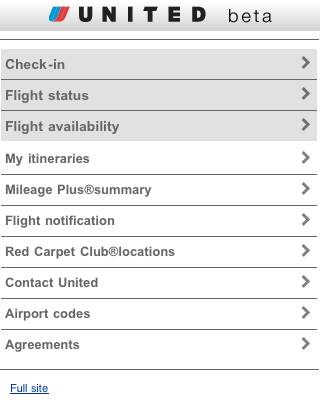
One aspect about smartphone usage that is very different than standard online browsing is site optimization. As a result of their platform specific coding, Apps are designed to produce big results here and if you go in that direction, you’re all but guaranteed positive results.
But if you’re considering the mobile website path and your standard website uses a bunch of Flash elements, is bogged down by heavy database queries, or relies on a substantial number of image based graphic design elements, then you may need to consider creating a hyper optimized mobile website.
This is a heavily distilled version of your existing site that focuses on the core features that allow visitors to buy tickets and access event information. Removing unnecessary graphic elements and focusing on every microsecond have make or break importance. Make it easy to find, don’t take more than three steps to complete any one process, and don’t distract the user flow.
Conclusions
The best thing you can do is discover that your existing site is already optimized to work on the major smartphone platforms (iPhone and Android). If you’re a Venture Platform user, you can already check that one off. If you aren’t, then you need to take a good long look at your existing website and explore some app development options (such as Instant Encore’s app service) to see if either or both options might be right for your organization.
But in the end, I hope this review has clarified the difference between an app and a mobile website. If you have any additional questions, feel free to send them in.
[/tab]

I realized during a conversation about a new website that one of my clients thought a mobile website was the same as an app. This article will really help explain it to her. I didn’t realize there was confusion but apparently there is. Nicely done.
You’re welcome Sheila, I hope it helps with your client work.